• Skip to main content

Passion4Social

  • Home
  • Our Services
    • All Accessibility Services
    • Accessibility Audit Services
    • Accessibility Overlay
    • Accessible Websites
    • Accessible Marketing and Comms
    • FAQs
  • Our Impact
    • Impact
    • Impact reports
    • Our story
    • Our team
    • Join our Board
  • Engage and Learn
    • Free webinars
    • Blog
    • Ebooks
  • Contact
You are here:
Engage and learn - Digital access challenges faced by older adults: Why are we failing a growing demographic?
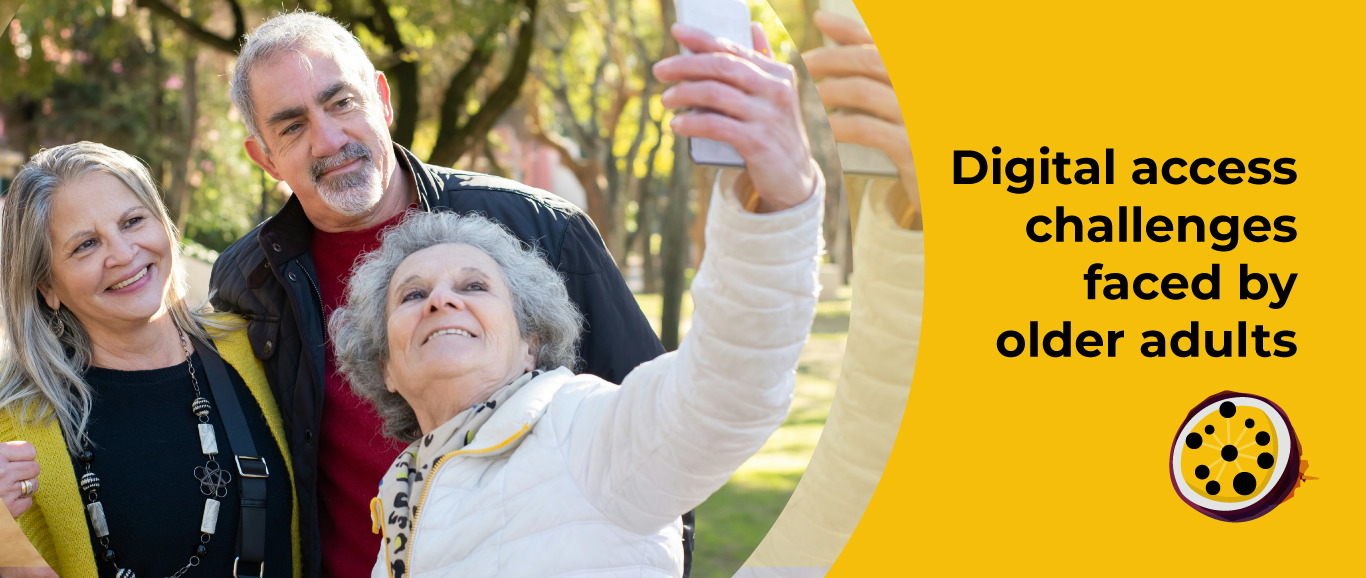
Three older adults smiling and taking a selfie together outdoors, with greenery and trees in the background. A yellow background to the right highlights the text. Text reads: ‘Digital Access Challenges Faced by Older Adults’

Digital access challenges faced by older adults: Why are we failing a growing demographic?

Passion4Social

August 20, 2025

Est 5 min

The invisible digital divide

As global life expectancy rises, so does the number of older adults navigating an increasingly digital world. Yet, many websites, apps, and social media platforms remain stubbornly inaccessible to this demographic – especially those with disabilities.

It’s not uncommon for some older adults to abandon websites or apps in under three minutes. This may sound exaggerated, but sadly, it reflects the reality for many. This is just one of countless examples, but why does it continue to happen?

The simple answer is: physical and digital barriers.Two older adults with coffee mugs are looking down at the screen of a mobile phone and smiling.

Younger generations tend to adapt quickly to new interfaces. Older users, particularly those over 65, face unique barriers. For example, declining vision, hearing, and motor control can make small buttons and complex menus frustrating. Cognitive changes can also cause difficulty in processing information, especially when a page has a dense layout. Fear of scams also leads many to avoid online banking, shopping, or forms. Many members of this age group did not grow up with smartphones or touchscreen devices either, contributing to limited digital literacy.

Despite these challenges, developers continue designing for a mythical “tech-savvy” user, leaving millions behind. This is not just exclusion; it is discrimination.

Three people grouped together using a tablet device.

The reality: How digital design fails older users

Visual and audio barriers are among the most common to crop up when digital design fails to include everyone. For example, many sites are still using low-contrast colours such as grey on white text, despite WCAG (Web Content Accessibility Guidelines) requiring a 4.5:1 contrast ratio. Very few offer text resizing options, either, and using browser zoom to adjust font size disrupts website layouts. Auto-playing videos without captions also excludes users with hearing impairments.

Challenges with navigating digital spaces often present problems, too. Overly complex menus with dropdowns, hover effects, and infinite scroll can confuse users unfamiliar with digital conventions. Fast-moving animations with no options to skip can prove disorienting for others with cognitive decline. Buttons measuring under 48 pixels make for small click and tap targets, which are difficult for arthritic hands to operate.

Additionally, there is the impact of sites or products which score low on the readability scale.

They can pose a risk of cognitive overload, for example. Some older adults process information more slowly, but when visiting websites, they are bombarded with dense walls of text and pop-ups.

Designers and communications teams also tend to forget that older people who are unfamiliar with internet use may need language that avoids jargon, for example, error messages such as ‘404 Not Found’. Complex password requirements may cause further frustration, leading to frequent resets and even account abandonment.

We must also account for the fear and mistrust of online services, which is more prevalent amongst older generations. Features like mandatory subscriptions or session timeouts with countdowns may scare older users away. A lack of human support is a deciding factor for many silver surfers:  chatbots cannot replace a real person for those who are struggling to use a digital service.

Two older adults viewing paper documents in a blue folder, with a window in the background.

Beyond ethics: Why this matters

According to the Office for National Statistics, 1 in 5 UK residents will be aged over 65 by the year 2030. Age UK reports that older adults control 70% of disposable wealth, with Ofcom reporting that 40% feel excluded from digital spaces.

So you can see that this is a huge and underserved market.

The legal implications of providing inaccessible digital spaces are also ever-growing. The Equality Act (2010) and the European Accessibility Act (2025) both place a duty on businesses to make reasonable adjustments for disabled users, the definition of which includes age-related impairments. Yet, companies such as British Gas and Bmibaby have faced, and continue to face, legal challenges and monetary fines for their inaccessible online platforms.

Above all, however, we should be prioritising the human costs of digital exclusion, social isolation, financial exclusion, and loss of independence, to name just a few.

Poor design is not just inconvenient – it actively excludes people from opportunities, communication, and essential services.

An older adult using a laptop and mobile phone. They are sitting in an armchair with a houseplant in the background.

Adopting an accessibility-first approach

Yet, embracing age-inclusive design principles is simpler than it may sound. For example, you can create easily legible text just by using a minimum 16 pixel font size with high contrast colours. Simple steps, such as including clear headings, subheadings, and buttons, also support smoother navigation.

Additionally, compatibility with speech-to-text software, such as Siri and Alexa, makes digital spaces easier to use for some older people.

Auditing is another essential tool in creating more accessible spaces. Why not recruit over-65s to test your user interface? Tools such as DragonFly’s Web Disability Simulator with NoCoffee Vision Simulator show developers how users with different disabilities may experience a website. Additionally, the WCAG Colour Contrast Checker can be used to check readability.

WCAG 2.2 guidelines also address topics such as low vision and motor control, which are helpful when considering ageing populations.

In-person support for older people using digital spaces and services is just as important as the technical side of things; however, telephone helplines and one-to-one digital support like Age UK’s Digital Buddies are just two options.

Most importantly, let’s advocate for lasting change by holding policymakers accountable for enforcing accessibility laws and training developers on gerontechnology.

Two older adults sitting on a sofa with a laptop computer, looking down at a mobile phone and smiling.

Design for your future self

The digital world was not built for ageing populations, but it must adapt. Inaccessible design is not just a technical failure, but a social one.

You must remember that although you are young today, you will grow older with time, as the expectation is that you will live a long life. So, be gentle and proactive towards older people today, and help build both a digital and real-world environment that you can feel proud of now and in your future as a mature individual.

At Passion4Social, we audit and redesign platforms for every user, not just the young and able-bodied, because everyone deserves access, at any age.

Ready to make your site age-friendly? We’re here to help – let’s make it happen together.

Share via social media:

FacebookLinkedIn

You may also like...

Articles & Guides
A row of five people from the waist down, sitting in yellow chairs against a yellow background. They are dressed in business attire, some holding clipboards or papers, as if waiting to be interviewed. Passion4Social (logo).

We stopped looking at CVs; Look what we found instead

With summer in full swing, we recruited people with lived...

Recruitment Diversity
Read article We stopped looking at CVs; Look what we found instead
Articles & Guides
Two smiling young people, lying on the floor in front of an open laptop computer, surrounded by books and school bags. An illustrative pencil graphic draws a line across the image from an accessibility icon drawn on the laptop lid. Passion4Social (logo).

Teaching digital accessibility early: The future of inclusive education

In this article: Why accessibility should be integrated in education...
Digital accessibility Accessibility Digital Inclusion
Read article Teaching digital accessibility early: The future of inclusive education
Articles & Guides
A dark grey, textured ground surface with a painted yellow accessibility icon. Painted yellow text reads: ‘Accessibility beyond websites.’ Passion4Social (logo).

Accessibility beyond websites: The rise of accessible everything

In today’s blog, you will read about: How digital accessibility...

Accessibility Digital Inclusion
Read article Accessibility beyond websites: The rise of accessible everything
Articles & Guides
Accessibility does not need to be dull – Quiz

Accessible Content Does Not Need to Be Dull

Who says accessible content has to be boring? Some people...

Quiz Accessibility Digital Inclusion
Read article Accessible Content Does Not Need to Be Dull
Articles & Guides
Amplifying disabled voices — Disability Pride Month, illustrated with a megaphone graphic

Digital Accessibility in Action: The Platforms, Creators and Advocates Amplifying Disabled Voices

As we tell anyone who will listen, creating accessible digital...

Accessibility Digital Inclusion
Read article Digital Accessibility in Action: The Platforms, Creators and Advocates Amplifying Disabled Voices
Upcoming free webinar
What you need to know about WCAG 3.0

What you need to know about WCAG 3.0

October 28, 2026 , 12 pm - 1 pm GMT

WCAG Accessibility Digital Inclusion
Register What you need to know about WCAG 3.0 (Opens in a new window)
Upcoming free webinar
A person holding an SLR camera up to their eye, looking through the lens and smiling against a teal background with a halftone pattern and purple circles. Text reads: ‘Accessible images: The art of alt text. Wednesday 25th of November, 12 pm GMT.’ Passion4Social (logo).

Accessible images: The art of alt text

November 25, 2026 , 12 pm - 1 pm GMT

Accessibility Digital Inclusion
Register Accessible images: The art of alt text (Opens in a new window)
webinar
A person with a prosthetic arm, posing confidently with their arms crossed and a warm smile against a pink background. Text reads: ‘Overlays vs lived experience users: Shortcut or setback? Wednesday 26th of August, 12 pm BST.’ Passion4Social (logo)

Overlays vs lived experience users: Shortcut or setback?

Explore the arguments for two powerful approaches to digital accessibility: the convenience of automated overlays...

Accessibility Digital Inclusion
Find out more Overlays vs lived experience users: Shortcut or setback? (Opens in a new window)
Articles & Guides
A person using a laptop computer at a wooden desk. Overlapping the laptop screen is a grey and white sad face graphic and a pink document graphic that reads: ‘PDF’. Passion4Social (logo).

When “Save as PDF” isn’t enough: Why accessible PDFs require knowledge, planning, testing and time  

In this article, you will discover: Polished-looking PDFs are not...

PDFs Accessibility
Read article When “Save as PDF” isn’t enough: Why accessible PDFs require knowledge, planning, testing and time  
Upcoming free webinar
A person holding a mobile phone and looking down at the screen with a serious expression against a teal background. Text reads: Digital poverty: Its impact and strategies for the future. Wednesday 23rd of September, 12 pm BST. With guests: Department for Work & Pensions, Lead Scotland. Passion4Social (logo)

Digital poverty: Its impact and strategies for the future

September 23, 2026 , 12 pm - 1 pm BST

Digital Inclusion
Register Digital poverty: Its impact and strategies for the future (Opens in a new window)
Articles & Guides
A laptop computer open on a desk. The screen displays the flag of the European Union with a white accessibility icon and ‘EAA’ at the centre. Passion4Social (logo).

The EAA one year on: What has really changed?

In this blog, you will read about: What has really...

Accessibility
Read article The EAA one year on: What has really changed?
Articles & Guides
A yellow background with a shopping cart. A white bar with a cursor reads: ‘Continue?’

The sales you never got to see and why digital accessibility could be the reason

How sales can be lost without ever appearing in your...

Accessibility
Read article The sales you never got to see and why digital accessibility could be the reason
Articles & Guides
When accessibility is an afterthought – Part 5" — hand placing a ballot in a box

When accessibility is an afterthought: Voting remains a postcode lottery for disabled voters

In  this blog, you will discover: How accessible voting exists...

Accessibility
Read article When accessibility is an afterthought: Voting remains a postcode lottery for disabled voters
Articles & Guides
Graphic with the text '10 quick accessibility wins' alongside a universal accessibility icon

Quick wins: 10 accessibility fixes you can implement now

In some circles, digital accessibility has a bad reputation, but...

Accessibility
Read article Quick wins: 10 accessibility fixes you can implement now
Accessibility Digital Inclusion
ebook cover for The European Accessibility Act

The European Accessibility Act

A practical guide to the European Accessibility Act, explaining what...
Download The European Accessibility Act
Articles & Guides
A man using a laptop is surrounded by eyes looking at his screen. There are location icons, speech bubbles and locks to symbolise online security. Lead Scotland and Passion4Social logos

Considering diversity in cyber security: Designing inclusive systems for disabled and neurodivergent users

Cyber security is no longer something that works away unobtrusively...

Cybersecurity
Read article Considering diversity in cyber security: Designing inclusive systems for disabled and neurodivergent users
Articles & Guides
A hand using a computer mouse and a white exclamation mark are outlined with green and black jagged shapes. Passion4Social (logo).

When a click becomes exhausting: The hidden mental health cost of inaccessible design

Inaccessible digital design carries a hidden mental health cost, moving...

Read article When a click becomes exhausting: The hidden mental health cost of inaccessible design
Articles & Guides
A person using a wheelchair while working on an open laptop computer against a teal background. Passion4Social (logo).

Technical expertise built on lived experience: Why our testers notice what others miss

Authentic accessibility goes beyond technical terminology or compliance with legal...

Read article Technical expertise built on lived experience: Why our testers notice what others miss
Articles & Guides
Illustrative depiction of neurodiversity showing colourful silhouettes of people and outlines of the human brain. Passion4Social (logo)

Exploring assistive tech in cyber security tools

With CYBERUK 2026 on the horizon, Net-Defence and Passion4Social CIC...

Accessibility Digital Inclusion
Read article Exploring assistive tech in cyber security tools
Articles & Guides
A group of three diverse women gathered around an open laptop computer, looking down at the screen and smiling. Passion4Social (logo)

Who is being left behind? The entry point is digital

Digital inaccessibility is a significant structural barrier that widens the...

Accessibility Digital Inclusion
Read article Who is being left behind? The entry point is digital

Ready to take action?

The sooner you start on your accessibility journey, the sooner everyone can benefit from your inclusive online presence.

Start your accessibility journey
People and planet first logo with text underneath stating Verified social enterprise
Living hours employer logo
Cyber essentials certified logo
RNIB visibly better logo
Disability confident employer logo
Living wage employer logo
Edinburgh social enterprise network logo
Scottish union of supported employment SUSE logo
social firms Scotland logo
The good stuff community Edinburgh logo
National lottery community fund logo
Gsen Glasgow Social Enterprise Network logo
p4s_section-3_logo-ses

Back to top

Let's Connect

01506 353625 enquiries@passion4social.com

Copyright © 2025 Passion4Social

Socials

Subscribe
  • Privacy Policy
  • Terms and conditions
  • Sitemap
  • Accessibility Statement
Manage Cookie Consent
To provide the best experiences, we use technologies like cookies to store and/or access device information. Consenting to these technologies will allow us to process data such as browsing behaviour or unique IDs on this site. Not consenting or withdrawing consent, may adversely affect certain features and functions.
Functional Always active
The technical storage or access is strictly necessary for the legitimate purpose of enabling the use of a specific service explicitly requested by the subscriber or user, or for the sole purpose of carrying out the transmission of a communication over an electronic communications network.
Preferences
The technical storage or access is necessary for the legitimate purpose of storing preferences that are not requested by the subscriber or user.
Statistics
The technical storage or access that is used exclusively for statistical purposes. The technical storage or access that is used exclusively for anonymous statistical purposes. Without a subpoena, voluntary compliance on the part of your Internet Service Provider, or additional records from a third party, information stored or retrieved for this purpose alone cannot usually be used to identify you.
Marketing
The technical storage or access is required to create user profiles to send advertising, or to track the user on a website or across several websites for similar marketing purposes.
  • Manage options
  • Manage services
  • Manage {vendor_count} vendors
  • Read more about these purposes
View preferences
  • {title}
  • {title}
  • {title}