
October 5, 2026

Est 9 min
This article explores how accessibility audits identify digital barriers, why automated testing alone is never enough, and how combining approaches creates more inclusive digital experiences.
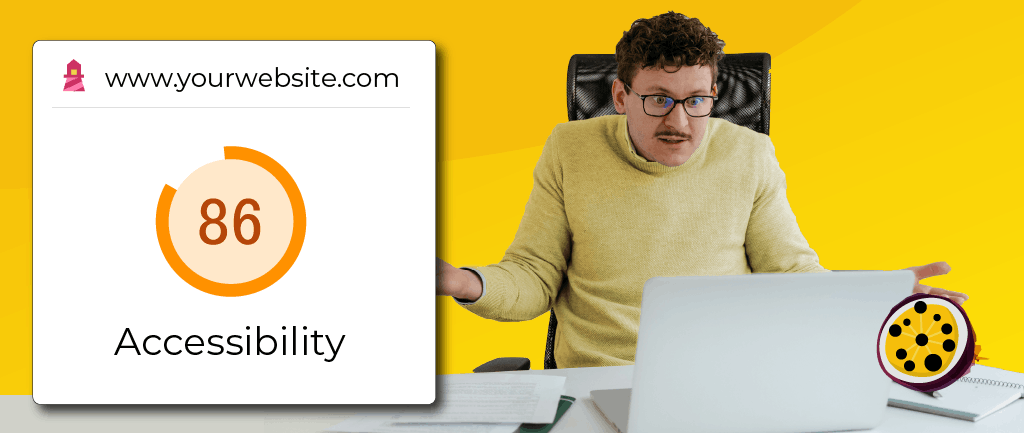
According to the WebAIM Million 2025 report, 95.9% of the world’s top million websites fail even basic accessibility standards, resulting in exclusion on a staggering scale.
Exclusion that impacts the lives of the estimated 1.3 billion disabled people worldwide.
Yet, at Passion4Social, we know this does not have to be the narrative.
Does the word audit bring to mind spreadsheets, compliance checks and the kind of letter no one ever wants to receive?
The good news is that an accessibility audit is nowhere near as scary.
It can be one of the most practical steps your organisation takes towards creating more inclusive digital services for everyone.
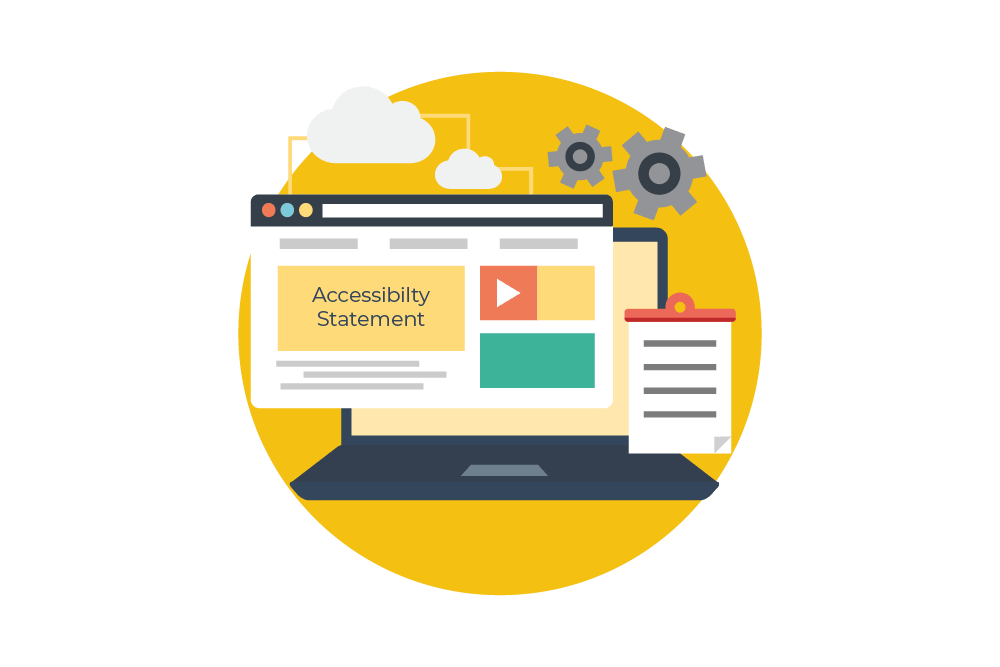
What is an accessibility audit?
Accessibility audits are comprehensive checks on digital products that identify barriers stopping users from completing everyday tasks.
They are also designed to help your organisation understand how well its digital products align with accessibility guidelines and legislation.
That includes the Web Content Accessibility Guidelines (WCAG) and relevant legal frameworks such as the Equality Act.
An audit covers a wide range of barriers including:
- Images without effective alternative text
- Poor colour contrast
- Missing or unclear labels on buttons, headers and links
- A lack of heading structures
- Videos without captions or transcripts
Because technology and user needs constantly evolve, accessibility should be viewed as an ongoing commitment rather than a one-off task.
Accessibility audits provide organisations with a clearer picture of where they are on their accessibility journey and what improvements should be made next.
For the best results, we recommend combining automated, manual and simulated testing, supported by the lived experience of disabled people.
Automated testing is never enough
Our accessibility services follow a simple philosophy: automated testing alone is never enough to create accessible digital products and services.
Tools like PowerMapper catch technical issues such as missing labels or colour contrast failures, but cannot replicate the lived experience of navigating a website with access needs.
They cannot:
- Know if content makes sense when read aloud by a screen reader
- Determine whether a button label is clear and gives users enough context
- Understand the frustration when a user cannot complete a task

Lived experience makes all the difference.
Every audit we deliver combines automated scanning and simulation tools with manual testing by trained disabled professionals.
Clients can choose which access needs to prioritise, from visual and hearing impairments to motor challenges and neurodiversity, ensuring testing reflects their audiences.
We are not saying automation has no role to play in auditing.
Far from it: automation is a valuable part of the process. It can quickly identify recurring issues, help organisations understand the scale of a problem and create a strong starting point for deeper testing.
However, digital accessibility is ultimately about people, and consequently people must be at the heart of the testing process.
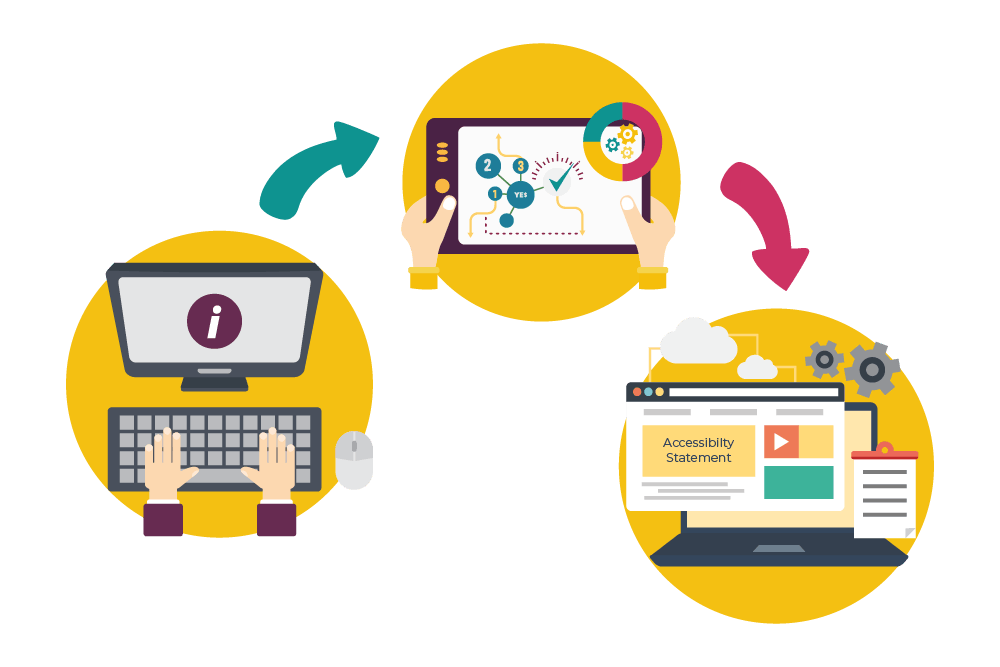
How we do accessibility audits at Passion4Social
Automated testing:
Automated web testing uses software to scan digital products for accessibility or performance issues.
Tools like Pope Tech and WebYes efficiently highlight barriers like missing links or button labels, absent alt text, or incomplete form field descriptions.
This is the preferred option for many businesses wanting to signal commitment to creating accessible digital products because it is faster than manual testing and picks up many common WCAG issues.
According to the WebAIM Million report on the accessibility of the top 1,000,000 home pages, automated tools detect common issues on a significant proportion of the world’s websites, but this statistic should be viewed with scepticism.
Most experts in the field estimate that automated tools can detect somewhere between 20% and 40% of WCAG violations.
A Government Digital Service (GDS) audit backs this up, finding that even the best automated tools detect just 30 to 40% of known issues.
Automated tools lack context and human judgement.
Without those key attributes, important issues go undetected, leaving users excluded.
This is why we say automation should only ever form the strong foundations of your testing process.
It is a good starting point that enables your team to focus on critical fixes and plan for deeper manual testing.
Manual testing:
Manual accessibility testing involves human testers performing tasks on digital content to identify barriers.
Many organisations prefer this approach because accessibility is ultimately a human issue, and only people can truly understand how users experience a digital product.
Trained testers, with expertise in WCAG and legal frameworks, apply judgement and flexibility in authentic scenarios, providing the context and identifying issues that automation misses.
They also check compatibility with specific assistive technologies and identify issues with user journeys, navigation and task completion that automated tools cannot fully assess.
For example, an automated tool might confirm that a form field has a label, but a human tester will tell you whether that label is actually useful.
Of course, manual testing takes longer than automated testing and may impact your budget.
To that, we say: it can be done to great effect if incorporated into your process strategically.
For example, having first carried out automated tests, we can then test a smaller, carefully selected sample of pages for issues that only manual testing uncovers.
Even on this scale, manual testing provides the depth needed to understand a digital product’s accessibility gaps.
Simulated testing:
Even the most skilled testers cannot claim to authentically understand every disability, situational or long-term.
That is where simulated testing comes in.
Simulators like JAWS Inspect can replicate aspects of navigating digital content with different access needs, creating temporary insight into some of the challenges people face.
In web development and digital design, these tools help developers and content creators better understand how users interact with digital products and encourage greater empathy and better design decisions.
Simulated testing also supports teams in considering the wider range of situations in which people access information.
A person may be tired, distracted, using a mobile phone in bright sunlight, or experiencing a temporary injury.
Accessibility is not always about a permanent disability. Many of us will experience temporary or situational barriers at some point.
Used in conjunction with automated and manual testing, simulation ensures products are accessible for as many people as possible.
It supports learning, understanding and better decision-making as part of a wider testing process.

Why do you need an accessibility audit?
There are plenty of reasons to carry out an accessibility audit, and legal compliance is often one of the first organisations think about.
An audit minimises the risk of legal action by identifying barriers and helping organisations understand how their digital products align with standards such as WCAG, the Equality Act 2010 and, where relevant, the European Accessibility Act.
However, compliance should not be your stalling point when it comes to digital accessibility: quite simply, ensuring your digital products are accessible is the right thing to do, for everyone.
You can improve user experiences on any device and across every platform, and despite the urban myths, it need not put a huge strain on resources.
Taking action on access barriers ensures a site is easier to navigate, people can interact with it comfortably, and your content can be understood.
We should all be able to harness the power of digital, and locking people out of your services is simply discrimination.
Conducting accessibility audits also makes good business sense.
The global Purple Pound, the spending power of disabled people and their families, is estimated to be in excess of 8 trillion dollars.
In the UK alone, it is worth an estimated £274 billion each year.
Yet many organisations still unintentionally exclude customers, employees, students, service users and supporters through inaccessible digital experiences.
If someone cannot complete a purchase or navigate your website, the consequences will be just as costly for your organisation as for the user.
An accessibility audit identifies these barriers before they result in reputational damage or greater costs further down the line.
Did you know that accessibility and SEO go hand in hand?
That’s right, good accessibility means increased opportunities for brand exposure.
Implementing best practices such as using effective alt text on your images, meaningful keywords, descriptive links and good content structure can make your content easier for both people and search engines to understand.
Accessible digital experiences will inevitably boost your reputation for being genuinely committed to inclusion.
Plan your audit with Passion4Social
Over time, we have recognised that organisations come to accessibility with very different levels of experience and confidence.
Some are taking their first steps, while others are working towards full compliance with standards such as the WCAG firmly in their sights.
To reflect this, we have developed a package-based approach to our accessibility auditing services that empowers organisations to engage with accessibility in a way that feels achievable and sustainable.
Starter Accessibility Check
Our Starter Accessibility Check is designed for organisations beginning their journey. Ideal for anyone with no previous accessibility knowledge, it combines automated testing with feedback from real user testers and provides a clear, prioritised report highlighting the most important areas for improvement.
Trailblazer Accessibility Check
Our Trailblazer Accessibility Check builds on this foundation, being the perfect fit for organisations with prior knowledge and accessibility initiatives who want to take the next step.
As well as testing and reporting, organisations receive ongoing mentoring, access to practical resources, and regular support to help embed accessibility into everyday working practices.
Impact: Full Accessibility Audit
Our Impact: Full Accessibility Audit is a comprehensive evaluation for organisations that need detailed compliance mapping and deeper insight.
This includes expanded user testing across a wider range of disabilities, in-depth journey testing aligned to analytics, and strategic recommendations.
An accessibility audit is not about proving that your organisation has got everything wrong, but rather understanding where barriers exist, recognising who might be excluded and creating a practical improvement plan.
Our three accessibility audit packages combine technology, human insight, and lived experiences to help you meet compliance standards and build better digital experiences.
Find out more about our accessibility audit services.
The digital world should not be another locked door, and accessibility audits are an organisation’s key to unlocking it.
Unsure where you sit?
Start by taking our accessibility quiz, or contact us at enquiries@passion4social.com.
Frequently asked questions
An accessibility audit checks websites, apps, and digital services for barriers that stop people from accessing information or completing tasks.
These audits identify problems that might prevent people with different access needs from using your services effectively.
To get a complete picture, a good audit uses a mix of automated software, manual testing, and feedback from people with lived experience of disability. This process helps make your digital content inclusive and welcoming for everyone.
If your organisation has a website, digital service or online content, an audit identifies access barriers.
Good accessibility improves user experience for everyone, supports inclusion, complies with legal guidelines and standards, protects reputation, and can help organisations reach more people.
An automated test uses software to scan a website or app for errors and accessibility issues.
Manual tests involve human testers, often with lived and learned experiences of disability, who test specific sections of a website or app to assess them for accessibility.
No, automated testing cannot catch every accessibility issue.
While automated software is helpful for quickly finding common technical problems—like missing labels or low colour contrast—it cannot fully understand context or usability.
Computers cannot replicate a real person’s experience, such as whether content makes sense when read aloud or how frustrating a task might be for a user.
That is why manual testing is essential for a truly inclusive experience.
An accessibility audit checks if your digital content works for everyone. Testers look for barriers that stop people from using your site easily.
This includes checking keyboard controls, easy-to-read colours, clear labels for buttons and images, and proper heading structure.
Audits also test if your site works well with assistive tools, like screen readers.
Ultimately, this helps ensure your digital services are welcoming, usable, and truly inclusive for all your users.
We recommend getting an initial check done, then revisiting that at regular intervals, as the environment is continually changing and so are the needs of users, alongside technology evolving and providing more development opportunities.
Share via social media:


You may also like...
Website accessibility audits: How Passion4Social can help UK businesses
Discover how a website accessibility audit can help UK businesses...

10 simple steps to writing accessible content
Learn how to make your content easier to find, understand,...

More accessibility, more green solutions
In this blog, we look at the ways accessibility drives...

We stopped looking at CVs; Look what we found instead
With summer in full swing, we recruited people with lived...
Teaching digital accessibility early: The future of inclusive education
In this article: Why accessibility should be integrated in education...
Accessibility beyond websites: The rise of accessible everything
In today’s blog, you will read about: How digital accessibility...

Accessible Content Does Not Need to Be Dull
Who says accessible content has to be boring? Some people...

Digital Accessibility in Action: The Platforms, Creators and Advocates Amplifying Disabled Voices
As we tell anyone who will listen, creating accessible digital...

What you need to know about WCAG 3.0
October 28, 2026 , 12 pm - 1 pm GMT

Accessible images: The art of alt text
November 25, 2026 , 12 pm - 1 pm GMT

Overlays vs lived experience users: Shortcut or setback?
Explore the arguments for two powerful approaches to digital accessibility: the convenience of automated overlays...

When “Save as PDF” isn’t enough: Why accessible PDFs require knowledge, planning, testing and time
In this article, you will discover: Polished-looking PDFs are not...

Digital poverty: Its impact and strategies for the future
Explore the everyday reality of being left behind in a digital-first age, and reimagine a...

The EAA one year on: What has really changed?
In this blog, you will read about: What has really...

The sales you never got to see and why digital accessibility could be the reason
How sales can be lost without ever appearing in your...

When accessibility is an afterthought: Voting remains a postcode lottery for disabled voters
In this blog, you will discover: How accessible voting exists...

Quick wins: 10 accessibility fixes you can implement now
In some circles, digital accessibility has a bad reputation, but...

The European Accessibility Act
A practical guide to the European Accessibility Act, explaining what...
Considering diversity in cyber security: Designing inclusive systems for disabled and neurodivergent users
Cyber security is no longer something that works away unobtrusively...
When a click becomes exhausting: The hidden mental health cost of inaccessible design
Inaccessible digital design carries a hidden mental health cost, moving...